Can I See You Meaning in Marathi — Exact Translation and Usage Guide
If you have ever typed “can i see you meaning in marathi” into a search bar, you are probably trying […]
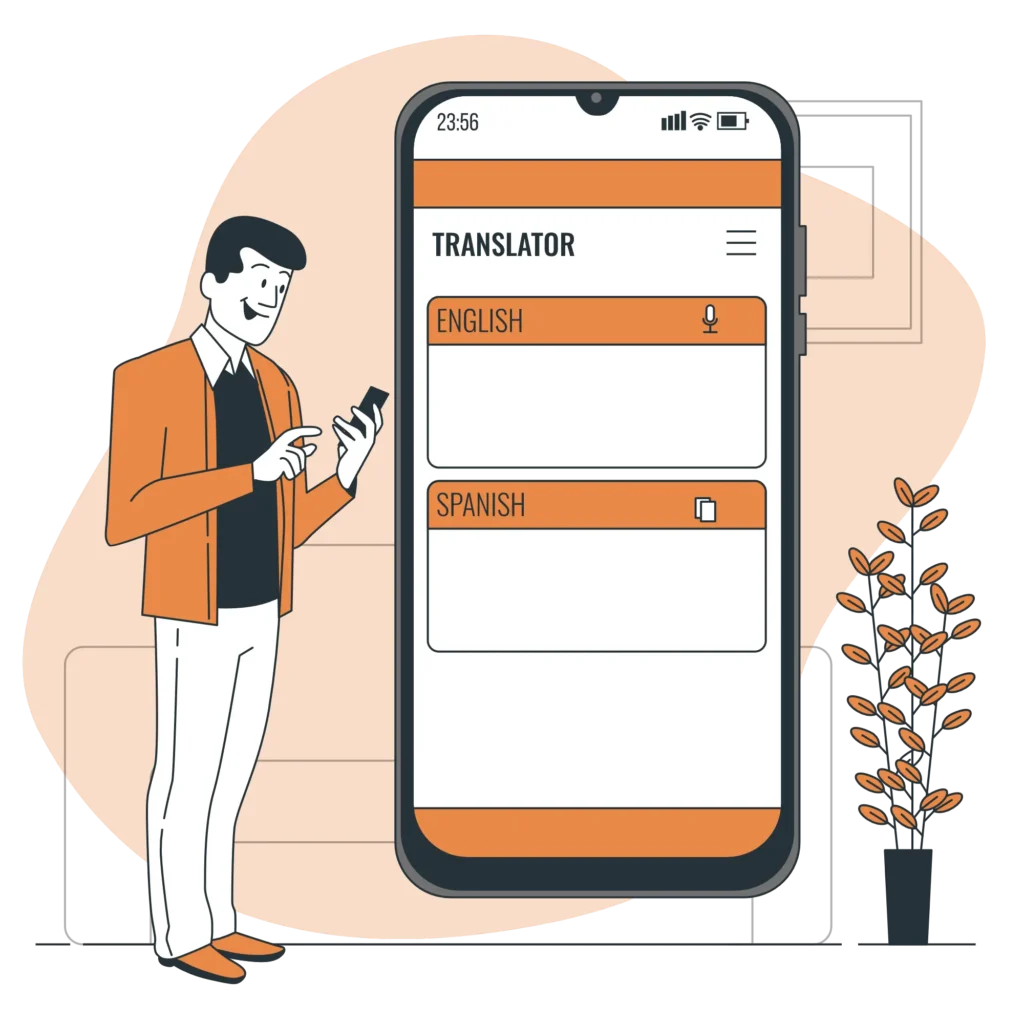
Speak in English, hear it instantly in Marathi. Perfect for conversations on the go.
Upload any PDF and get an accurate Marathi translation in seconds — no typing needed.
In today’s fast paced world, language should never be a barrier to communication. Whether you are a student, a professional, or someone trying to connect with friends and family, being able to translate English to Marathi quickly and accurately can make life much easier.Traditionally, translation required bulky software downloads, complicated setup processes, or even paid subscriptions. But now, with web based tools, you can translate instantly without downloading anything, signing up, or paying a fee.
This guide will walk you through everything you need to know about English to Marathi translation, from how it works, when to use it, common challenges, and expert tips to get the most accurate results.
Marathi is spoken by over 83 million people, primarily in Maharashtra, India, and by large communities worldwide. As one of India’s most widely spoken languages, Marathi plays a critical role in culture, commerce, and education.
The need to bridge English and Marathi isn’t limited to textbooks or formal communication; it’s equally important in daily life. From reading local news to understanding government forms, and from translating recipes to decoding legal documents, translation opens doors.
In the past, people relied on downloadable software or apps, which often had limitations or hidden costs. Modern online translators have removed those obstacles:
No downloads: You can start translating instantly from your browser.
No sign ups: No need to share your email or create an account.
No limitations: Translate as much as you want, anytime.
Free forever: No hidden charges or premium tiers.
Because these tools are web based, you can use them from any device, desktop, laptop, tablet, or smartphone without worrying about storage space or compatibility.
When you type or paste English text into the translator, the system uses advanced linguistic algorithms and translation databases to produce accurate Marathi equivalents.Here’s a simple step by step process:Open the tool in your browser.Type or paste your English sentence.Click “Translate”: your Marathi translation appears instantly.Copy and use the translated text wherever you need.Some advanced tools even offer voice input and real time typing translation, so you can speak in English and see the Marathi text appear instantly.
A good translator is more than just a language tool; it’s a bridge between cultures and contexts. Here are common scenarios where it can help:
Education: Translating assignments, research papers, or study materials.
Travel: Understanding local signboards, menus, and transport guides.
Business: Drafting emails, translating contracts, or localizing product descriptions.
Personal Communication: Messaging relatives, friends, or community groups.
Media & Entertainment: Translating song lyrics, film subtitles, or news articles.
While technology has improved drastically, no translation tool is perfect. To ensure accurate, context aware translations:
Keep sentences clear: Avoid overly complex structures.
Use standard spelling: Incorrect spelling can confuse translation engines.
Avoid slang: Local slang or idioms may not translate correctly.
Check context: Some words may have multiple meanings in Marathi; choose the one that fits your situation.
For example, the English word “bank” could mean a financial institution or the side of a river; only context clarifies the meaning.
Even the best translators face difficulties when dealing with:
Idiomatic expressions: English idioms like “piece of cake” may not have a direct Marathi equivalent.
Cultural references: Some terms are deeply rooted in local culture and need contextual adaptation.
Complex technical terms: Industry specific jargon may need professional review.
To handle this, you can break complex text into smaller sentences, check synonyms, or cross verify with multiple translation sources.
Unlike tools that restrict daily usage or require upgrades, a genuinely free online translator gives you:
Unlimited text length: Translate entire articles, not just short phrases.
24/7 access: Translate anytime without worrying about subscription renewals.
Cross platform convenience: Works on Windows, macOS, Android, iOS, and even older systems.
Privacy and security: No personal information required.
The ability to translate English to Marathi online instantly is more than a convenience; it’s a necessity in an interconnected world. With a reliable, no download, no sign up, and truly free translation tool, you can communicate, learn, and connect without limits.
Whether it’s for education, work, travel, or personal use, this technology empowers you to bridge linguistic gaps and embrace new opportunities.
Language should unite, not divide, and with the right tool, English and Marathi can flow seamlessly into one another.
Show off your recent blog posts in a standard format on the light and soft background with carousal option
If you have ever typed “can i see you meaning in marathi” into a search bar, you are probably trying […]
You need to convert Marathi to English online, and you need it done right. Maybe you have a legal document […]
Finding a free Marathi to English translation that does not butcher the meaning is harder than it should be. You […]
A: Google Translate achieves roughly 80-85% accuracy for simple present-tense sentences and common vocabulary. Accuracy drops significantly with complex sentences, idiomatic expressions, and context-dependent gender assignment. It is best used for first drafts and single-word lookups, not for final output without human review.
A: Google Input Tools offers phonetic typing where you type Marathi words in Roman script (e.g., "namaskar") and it converts to Devanagari (नमस्कार). This is available as a web tool, a Chrome extension, and a mobile keyboard. Apple devices have a built-in Marathi transliteration keyboard under Settings, General, Keyboard, Keyboards, Add New Keyboard, Marathi.
A: Most learners and tools struggle most with gender agreement across long sentences. When a sentence contains multiple nouns of different genders, keeping the adjectives, verbs, and pronouns consistent with the correct referent requires tracking grammatical gender across clauses, which English does not train speakers to do.
A: Translation alone teaches vocabulary and some grammar patterns but does not build the intuitive sense of natural phrasing that comes from exposure to original Marathi content. Combine translation practice with reading Marathi news articles, watching Marathi films with subtitles, and listening to Marathi conversations for the best results.
A: Marathi follows a Subject-Object-Verb (SOV) pattern, while English uses Subject-Verb-Object (SVO). This means the verb almost always comes at the end of a Marathi sentence. Additionally, Marathi places modifiers and subordinate clauses before the main clause, which reverses the typical English structure where main clauses come first.
A: Yes. Standard Marathi (based on the Pune dialect) is used in formal writing, news media, and education. However, regional varieties like Varhadi (spoken in the Vidarbha region), Konkani-influenced coastal Marathi, and the Marathi spoken in Mumbai each have distinct vocabulary and pronunciation. Translations intended for a general audience should use Standard Marathi unless you are targeting a specific regional audience.
A: There are some patterns. Nouns ending in आ (ा) are often masculine, nouns ending in ई (ी) are often feminine, and nouns ending in एं (ें) are often neuter. However, there are many exceptions. The only reliable method is checking a good dictionary that marks gender. With practice, you develop an intuition for the common patterns and the frequent exceptions.
A: Both mean "you," but आपण is more formal and respectful, typically used with elders, strangers, and in professional settings. तुम्ही is slightly less formal, used with peers and acquaintances. The distinction is similar to the difference between "usted" and "tú" in Spanish. Using आपण when तुम्ही is expected sounds overly stiff; using तुम्ही when आपण is expected can sound disrespectful.